 DSH Desktop
From scattered material to an eight-slide presentation
Turn a topic and outline into a deck, then request precise slide revisions.
Define what the presentation must explain
This example uses “Turn good ideas into great presentations” for people preparing work reports, proposals and product introductions. The original requests eight Chinese slides with a problem, method, structure, charts and delivery checks. Prepare the topic, audience, slide count, conclusions and usable evidence. Add source files to the chat and label illustrative figures as simulated data.
1. Organize an outline with one point per slide
Explain the audience, the message to remember and its evidence. If your material is scattered, ask AI to extract and order it before creating slides. Replace this practice request with your own topic and language.
Create an eight-slide outline in English for workplace presentations, titled “Turn good ideas into great presentations.” Include cover, common problems, workflow, structure example, charts, layout comparison, delivery checklist and closing. For each slide, give a title, conclusion and required material. Do not invent missing data.2. Choose a template for the outline
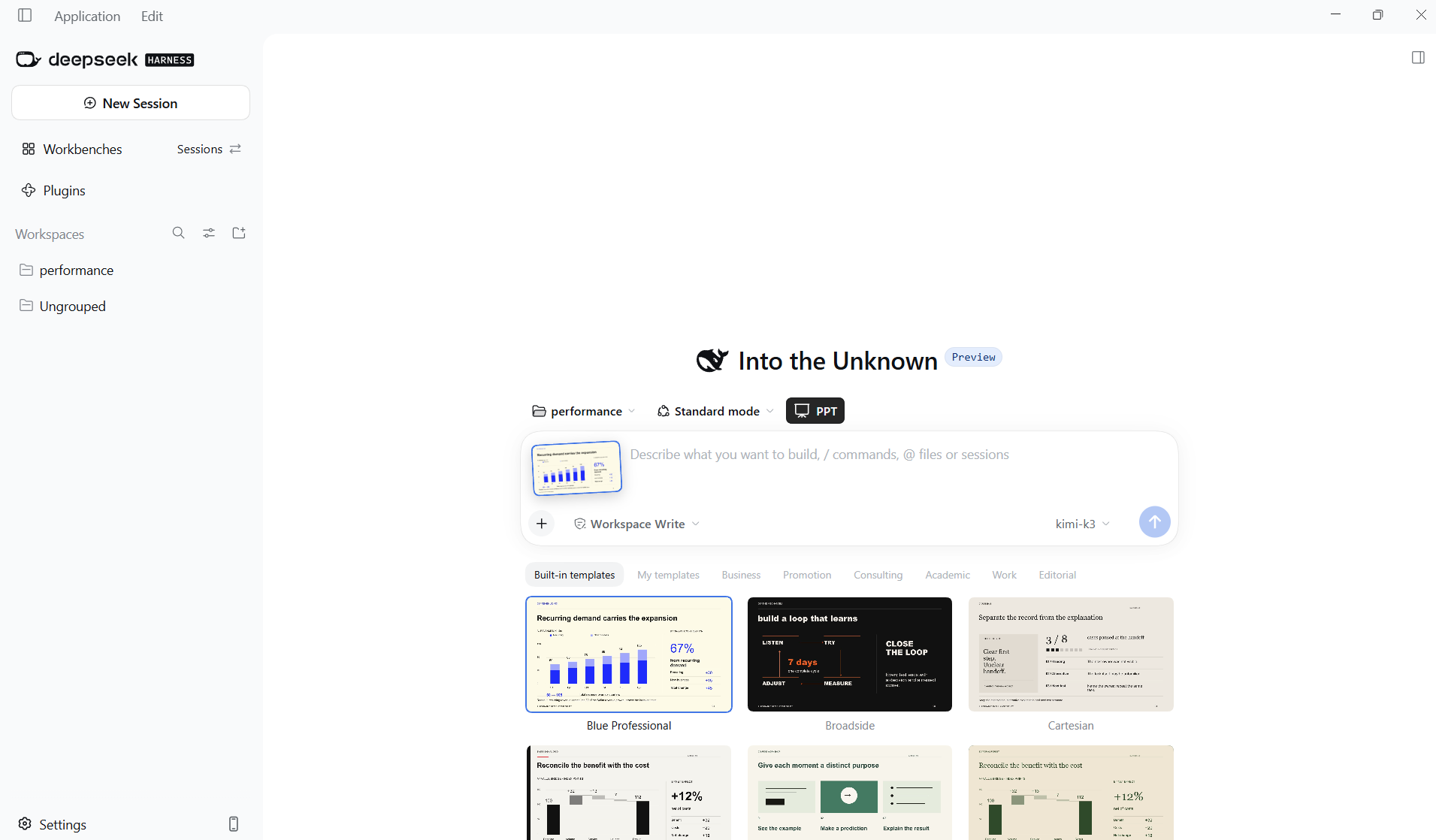
Use the approved outline as the generation request. Choose a template that accommodates text, processes and charts. Specify language, slide count and constraints, select a model and send. Cite real chart data or explicitly request labeled simulated values. See the PPT tutorial for exact interface steps.
3. Inspect the delivered file against the outline
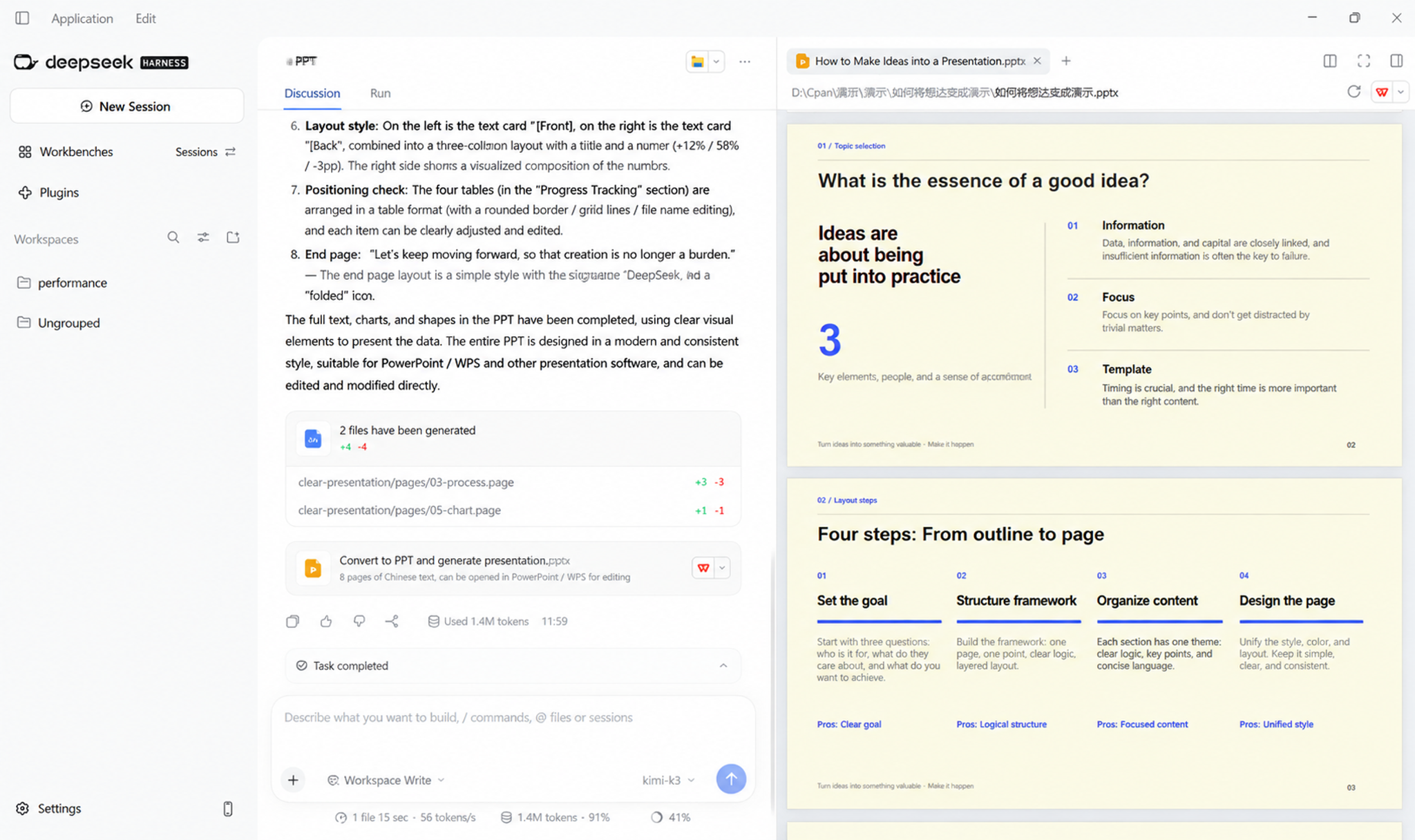
Open the PPTX card. Read slide titles for a coherent story, then check whether text, charts and images support each conclusion. Inspect fonts, density, alignment and colors. A process slide should clearly show goal → structure → content → layout. An attractive chart still needs a clear comparison and takeaway.
4. Request a targeted revision
Identify slide numbers, what to preserve and the precise change in the same chat. Open the new file to confirm the changes. Before delivery, also check fonts, layout and editability in PowerPoint or WPS; an in-app preview does not replace opening the exported file.
On slide 3, keep the four-step process but shorten each step to one sentence. On slide 5, label the chart “Simulated data.” Preserve the content and colors of all other slides.Watch the source video
DataelemLab · Originally published 2026-09-11. Watch on Bilibili ↗