 DSH Desktop
Create and revise a presentation
Choose a template, describe your slides and review the generated PPTX.
Before you start
Configure an available model and prepare the topic, audience and main content. If your sources are unorganized, ask for an outline first. This walkthrough uses an eight-slide presentation.
1. Open PPT mode and choose a template
Click New Session, then PPT above the input box. Choose a suitable template from the list. Its thumbnail appears in the input box.
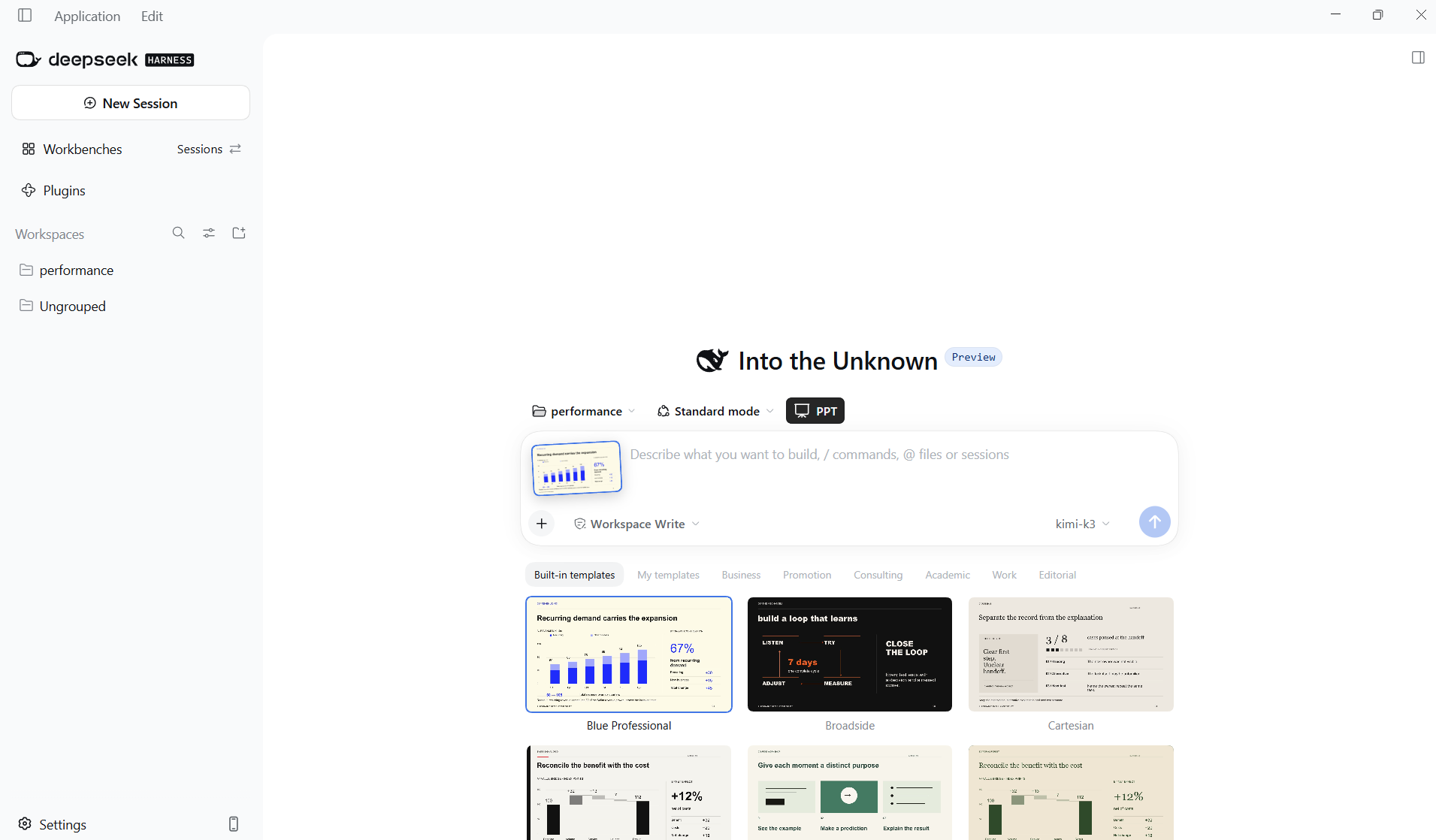
2. Describe the deck and send
Specify the topic, audience, slide count and content. Check the selected model and click Send. Replace the sample with your own material. Specify English if you want the slides in English.
Create eight slides in English titled “Turn good ideas into great presentations” for people preparing work reports. Include a cover, common problems, workflow, structure example, charts, layout comparison, delivery checklist and closing slide. Label all illustrative chart values as simulated data.3. Open the delivered PPTX
Wait for generation to finish. When a PPTX file card appears in the reply, click it to open the preview and inspect each slide.
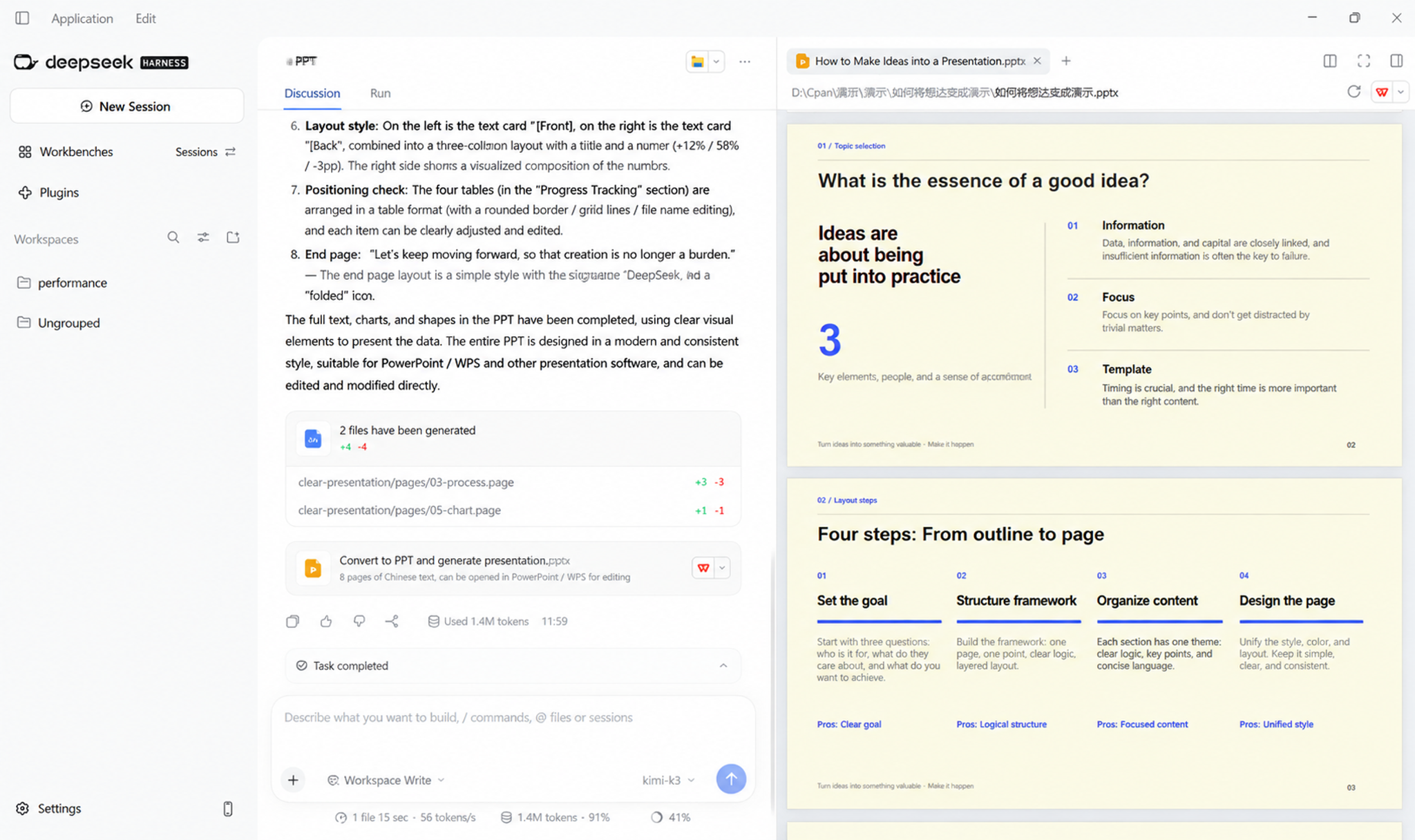
4. Request revisions and recheck
Identify the slide number and the exact change in the same conversation. Reopen the new version to verify it. Before presenting, open it in PowerPoint or WPS and check fonts, layout and editable elements.
On slide 3, shorten each workflow step to one sentence while keeping all four steps. Leave every other slide unchanged.