 DSH Desktop
Start your first task with a PDF
Add a PDF, summarize its main points and check the answer against the source.
Before you start
Prepare a PDF you want to read. Start a new session, choose a workspace, Standard mode and an available model, then add the document using + → File.
1. Confirm the document was added
Look for the blue filename in the input box and check that it is the right document. If no filename appears, add the file before sending your request.
2. Explain the summary you need
Type your instructions below the filename and click Send. Start with a simple request or specify the structure you want.
Summarize this article in three sections: the main problem, key arguments and conclusion. Keep the summary under 500 words.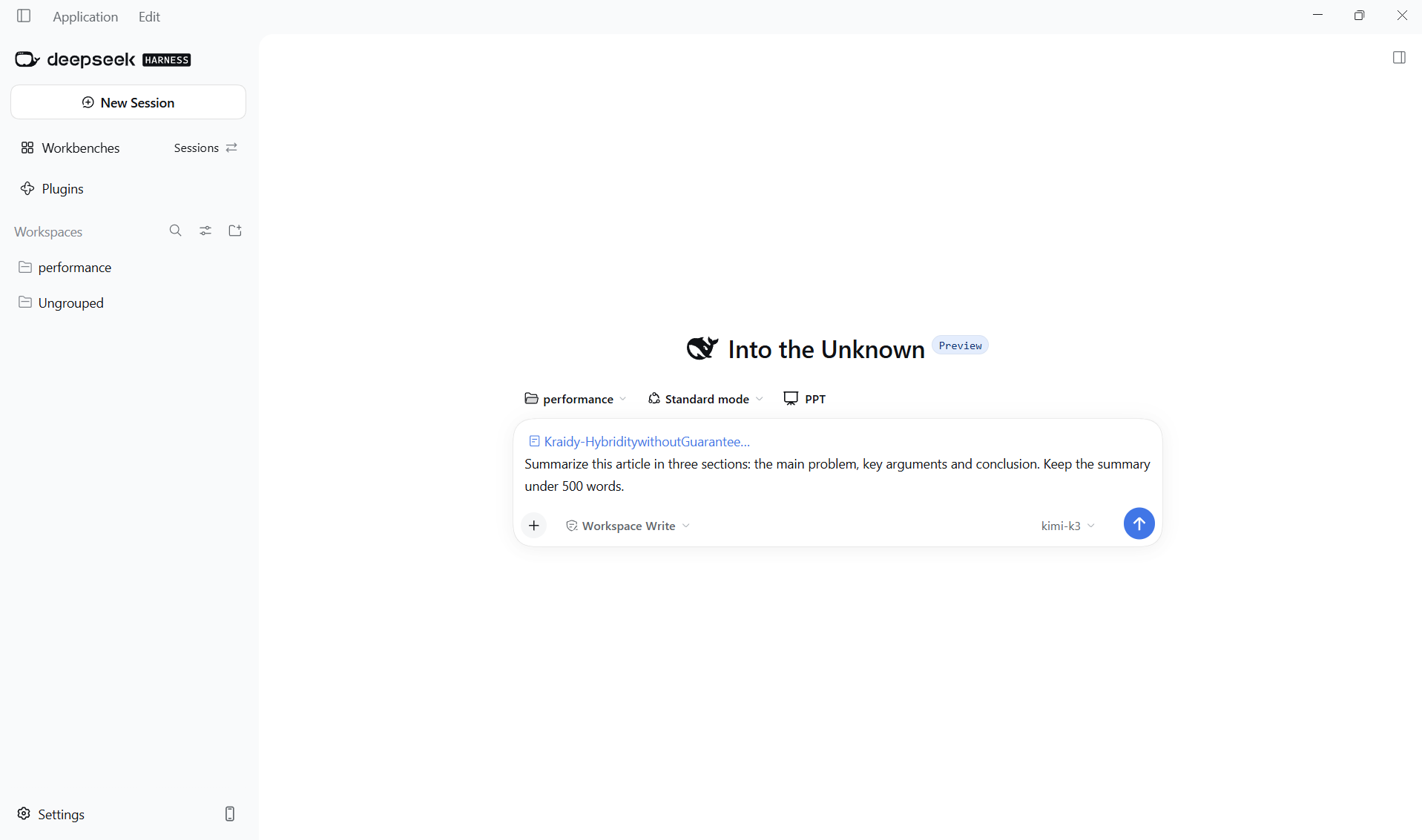
3. Read the main points
The reply appears in the conversation. First confirm that it describes the document you added, then check that the topic, arguments and conclusion are clear.
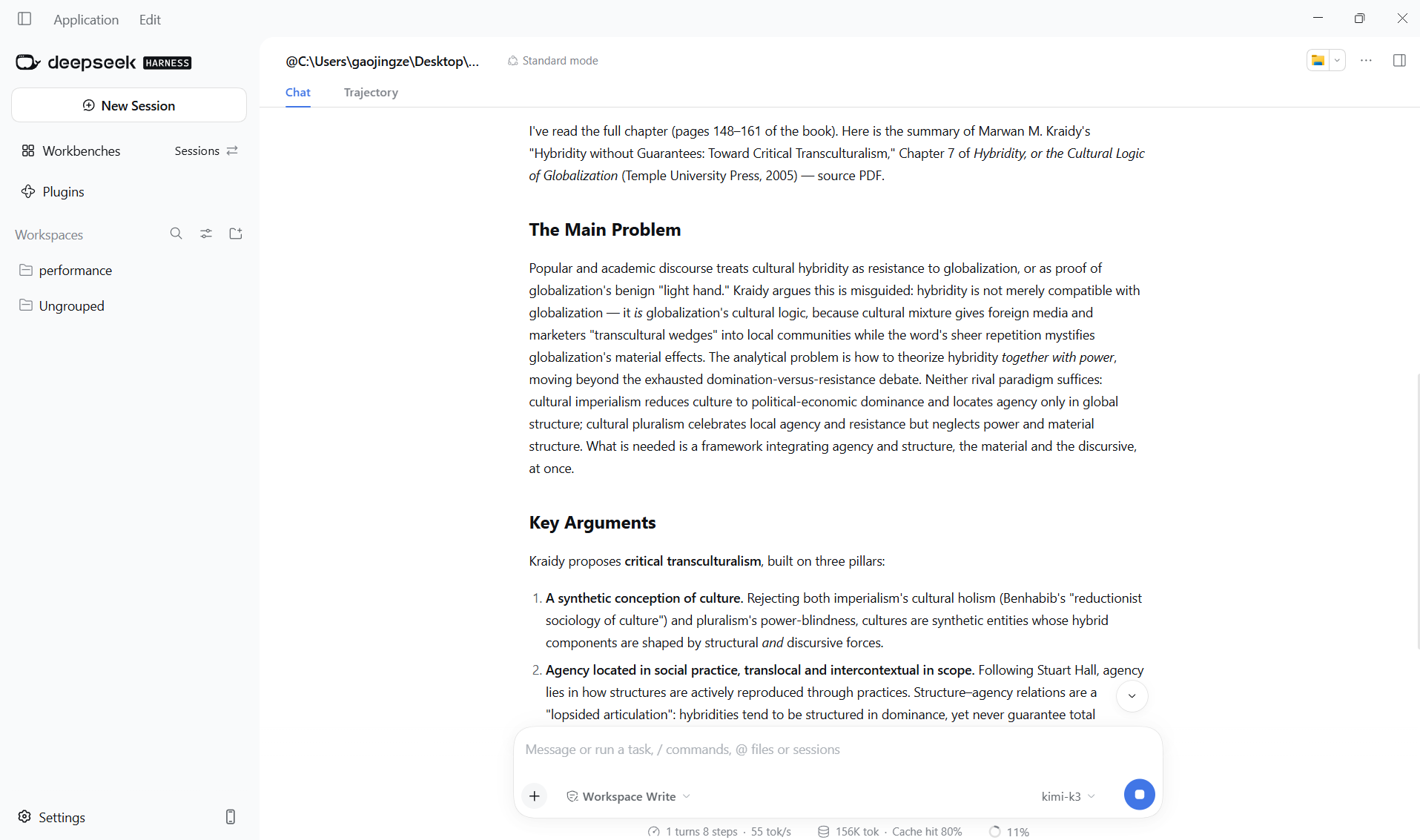
4. Ask follow-up questions
Continue in the same conversation without adding the file again. Shorten the summary, ask about a term or request source locations. Open the PDF and compare important claims and references. If something is wrong, identify the sentence and ask for a correction.
Condense this into five key points and add the source chapter or page number for each one.