 DSH Desktop
Install your first workbench
Find a tool in the market, confirm installation and try it with your own material.
Before you start
Install DSH Desktop and connect an available model. A workbench brings together the interface, material and conversations for a particular task, such as writing or site selection.
1. Open Workbenches and find a tool
Click Workbenches in the sidebar, then open Workbench Market. Search by name or browse categories. Read the description and select a workbench suited to your task.
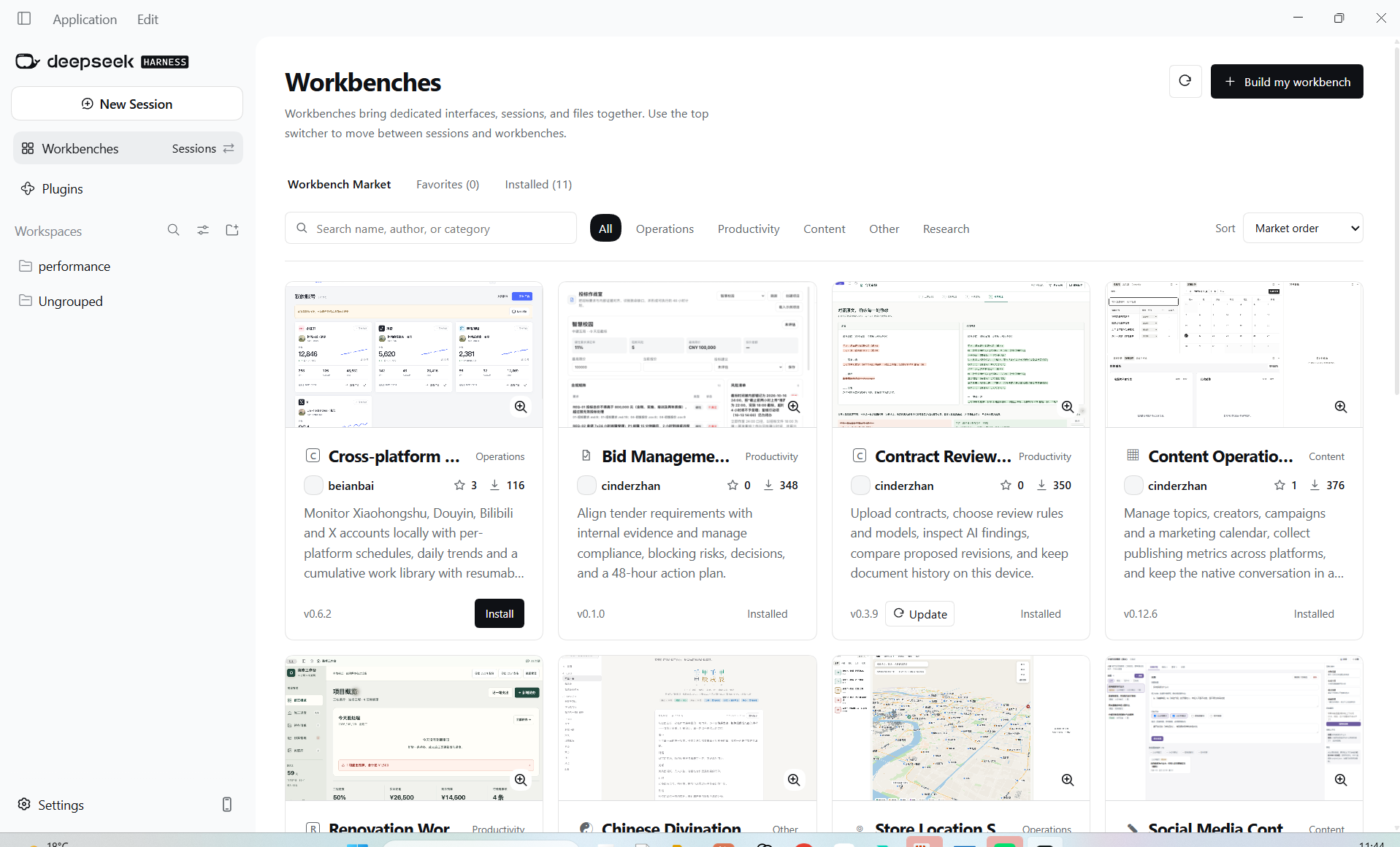
2. Click Install
Wait for installation. If a restart is requested, save your current work and restart the app.
3. Check Installed
Open the Installed tab and locate the new workbench. Confirm that it is enabled and follow any update instructions.
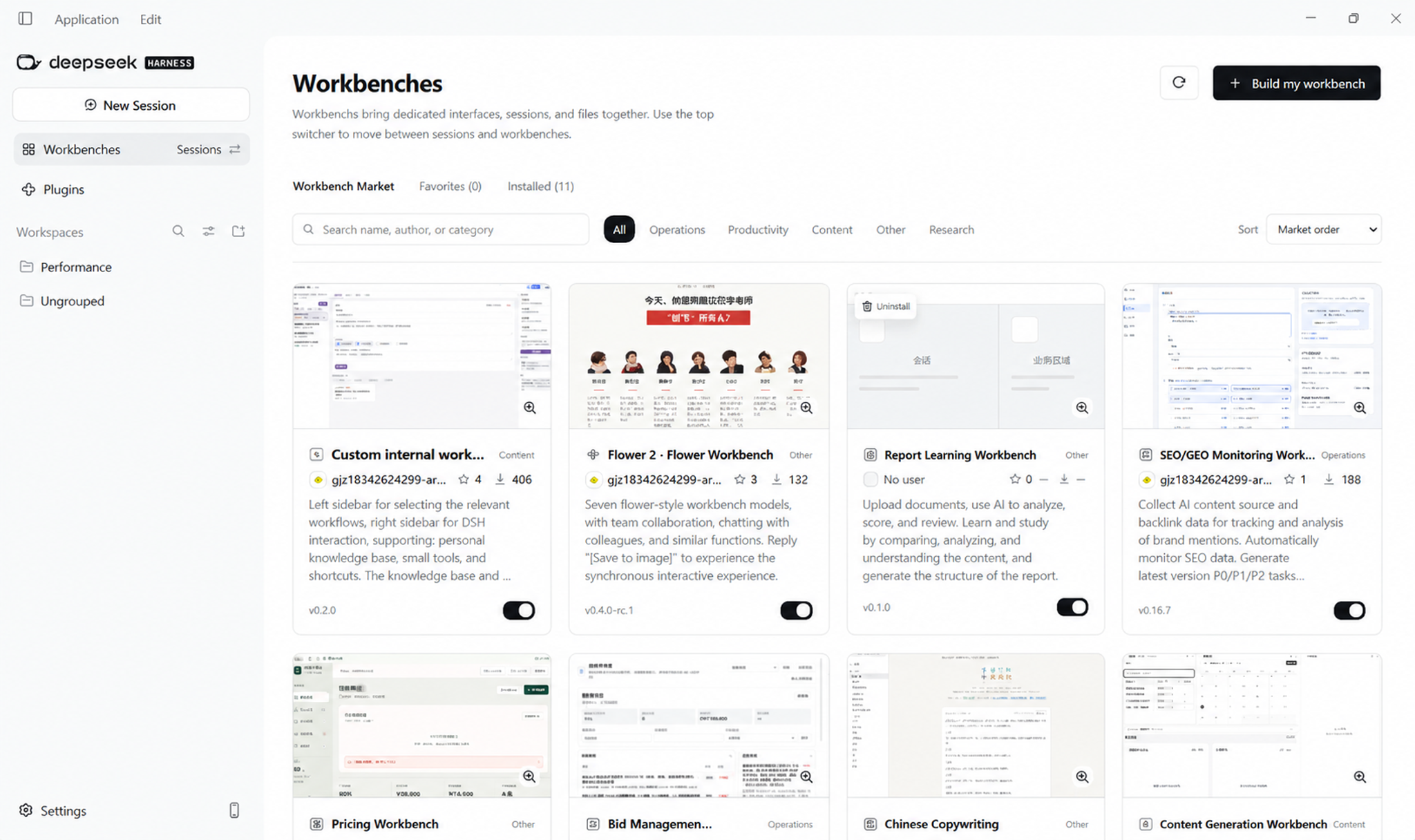
4. Switch to the workbench and enter your material
Use the conversation switcher beside Workbenches in the sidebar and select the installed tool. Follow its setup instructions and try a small task. For a writing workbench, start with your account direction and source material, then select a topic. If the entry is missing, check installation, enabled state and any required restart. Read dependencies and installation instructions in the market; do not guess download addresses for unavailable entries.