 DSH Desktop
Workbench market: try a tool, then build your own
Use renovation and writing examples to explore installation, creation and sharing.
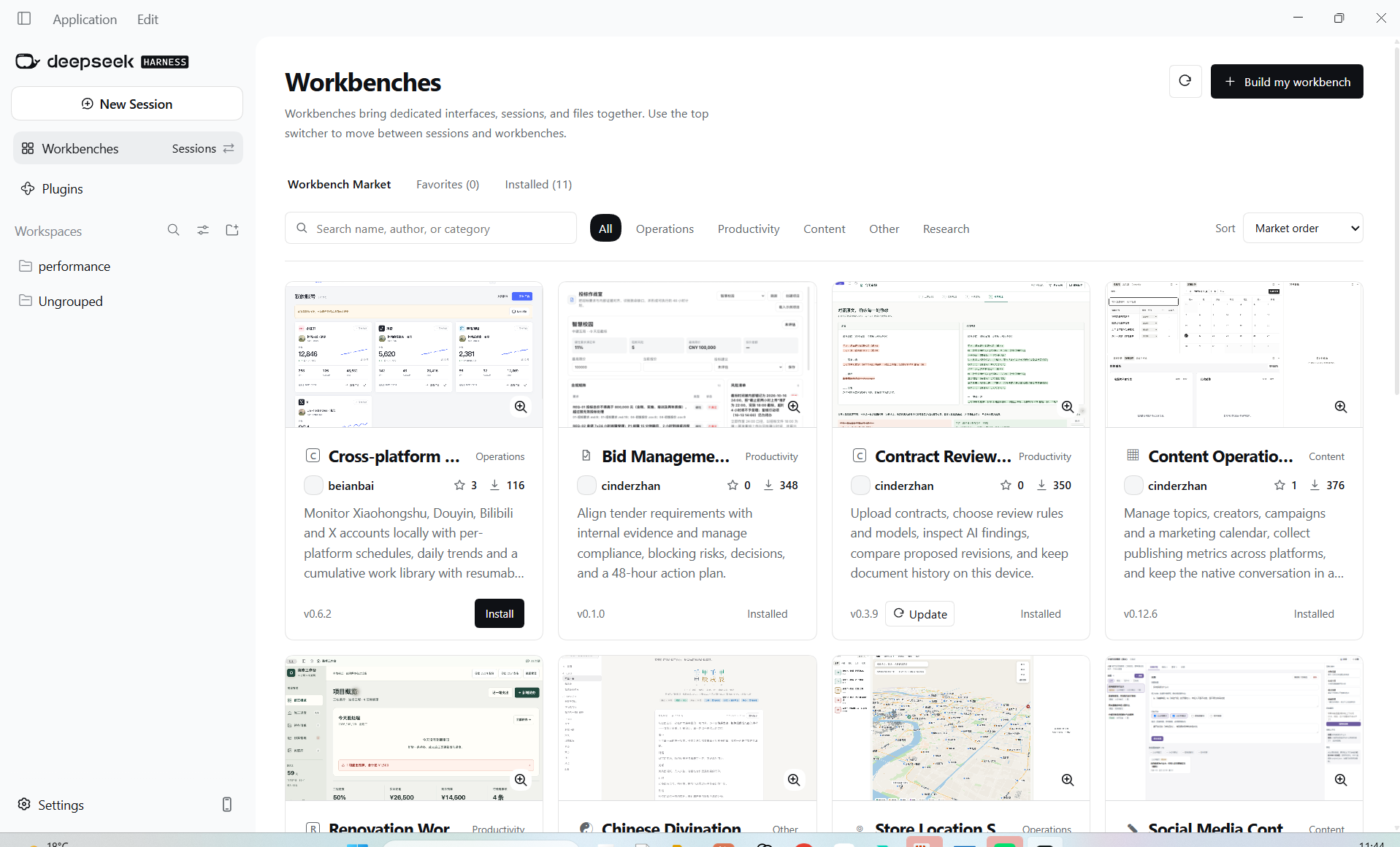
1. Find and install a workbench
Open Workbenches and search by name, author or category. Read the entry and install a suitable tool. Save work before a requested restart, check Installed, then open it through the conversation switcher. Start with a small sample and check the interface, saved files and AI conversation before importing all business data.
Example: renovation progress and budget
Create a renovation profile with floor area, layout, contracting approach and budget. The demonstration uses 128 square meters, three bedrooms and two living rooms, partial contracting, a CNY 350,000 budget and the plumbing/electrical stage. Replace these with your own conditions. Track construction stages, completed subtasks, priorities, spending, remaining budget and reference images. Ask questions in the AI pane with the project context.
Using my renovation profile, construction records and budget, list unresolved items and next-step checks for the plumbing/electrical stage. Ask for missing on-site information rather than assuming it is confirmed.Example: topics, outlines and drafts together
Prepare the account persona, intended readers and source material. Select a topic and outline, click Write body, and check the draft, sources and instructions brought into the right-side chat. After generation, check that the draft area was updated. Continue revisions in the same conversation; a new session answer alone does not confirm the business record was updated.
2. Describe a tool if none fits
Click Build my workbench, copy the development instructions and send them in a new conversation. Explain who it serves, its problem and the desired steps. Confirm requirements before building. Then install and test adding records, reopening, saving and related conversations. This sample describes a request, not an existing finished product.
Build a personal daily review workbench. Record completed work, problems and tomorrow’s plan, let me view past entries and ask AI for a summary. Confirm the workflow and saved fields, then implement using the development guidelines.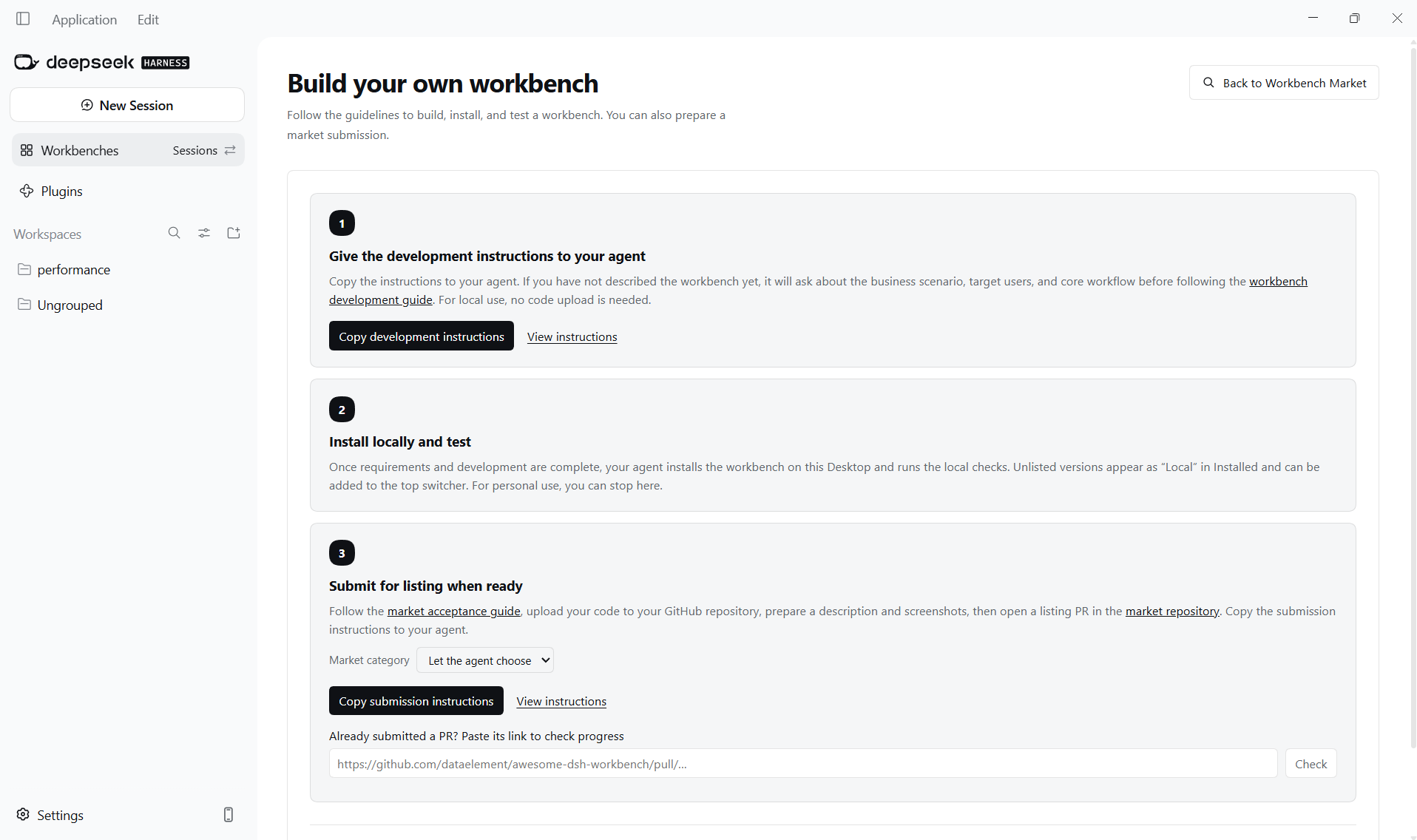
3. Submit for review if you want to share
Prepare the repository, introduction and screenshots using the creation page’s instructions. Use the current submission prompt and paste the PR URL back to check progress. Submission is not publication: users can discover and install it after approval and a catalog update. Local personal use needs no submission.
Install a workbench · Create a workbench
Watch the source video
DataelemLab · Originally published 2026-10-10. Watch on Bilibili ↗